|
|
|
|
|
|
|
|
| 16 X3D Models | X3D Model Descriptions | |
|---|---|---|
|
Bounding Box Illustration | Simple Inline example illustrating bounding box coverage. Bounding box lines are not typically rendered. |
|
Coordinate Axes | X Y Z axis arrows and labels in X3D coordinate system. See CoordinateAxesExample for use as an Inline coordinate-system reference frame. |
|
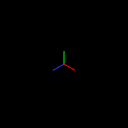
Coordinate Axes Inline Example | X Y Z axis arrows and labels in X3D/VRML coordinate system. Shows use of CoordinateAxesVrml as Inline for coordinate-system reference frames. |
|
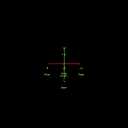
Coordinate Axes Lines | X Y Z axis lines (red green blue, respectively) in X3D coordinate system, providing a simple reusable widget. |
|
Coordinate Axes NSEW | X Y Z axis arrows and labels in X3D coordinate system. See CoordinateAxesExample for use as an Inline coordinate-system reference frame. |
|
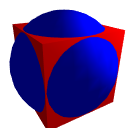
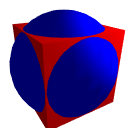
Group Animated | Example for Group node, with animated color for the Sphere |
|
Group Example | Example for Group node |
|
Inline Kelp Forest | Inline example that loads the Kelp Forest world. |

|
LODExample | Example for LOD node |

|
Lod With Different Shapes | Example to demonstrate LOD forceTransitions field for animating different shapes, navigate in/out or else check Viewpoints to see each separate Shape |
|
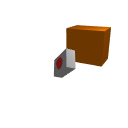
Order Of Operations 1 | Illustration of Order of Operations: initial and final results from translation, rotation, and scale operations. |
|
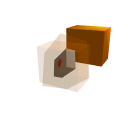
Order Of Operations 2 | Illustration of Order of Operations: initial, intermediate and final results for scale, rotation, and translation operations. |
|
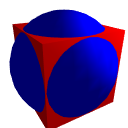
Static Group Example | Example for StaticGroup node |
|
Switch Example | Example for Switch node |
|
Transform Center Offset For Rotation | Use Transform center field to compare original Cylinder (left) to rotation about middle of object (middle Cylinder) to rotation about bottom of object (right Cylinder). |

|
Transform Example | Example for Transform node |
|
Online at https://X3dGraphics.com/examples/X3dForWebAuthors/Chapter03Grouping
Master source-code model archive is under subversion control at |
The X3D Resources: Examples page and Savage Developers Guide provide more information about the production of this archive.
|
|
|
|
|
|
|